
Insights / Cloud & DevOps
Deployment artifacts: what they are, what to keep, and how to roll back
A deployment artifact is the exact, immutable package that runs in production. Keep it traceable, retain it deliberately, and make rollback a tested deployment — not a hope.
Kiran Bandarupalli · 1 Nov 2026 · 5 min read
Ask a team what they deployed last Tuesday and you often get a branch name, a date, and a shrug. The branch has moved on since then. The code on the server is whatever happened to be merged at the time, rebuilt by hand, or patched in place. That is not a deployment record. It is a story, and stories do not roll back.
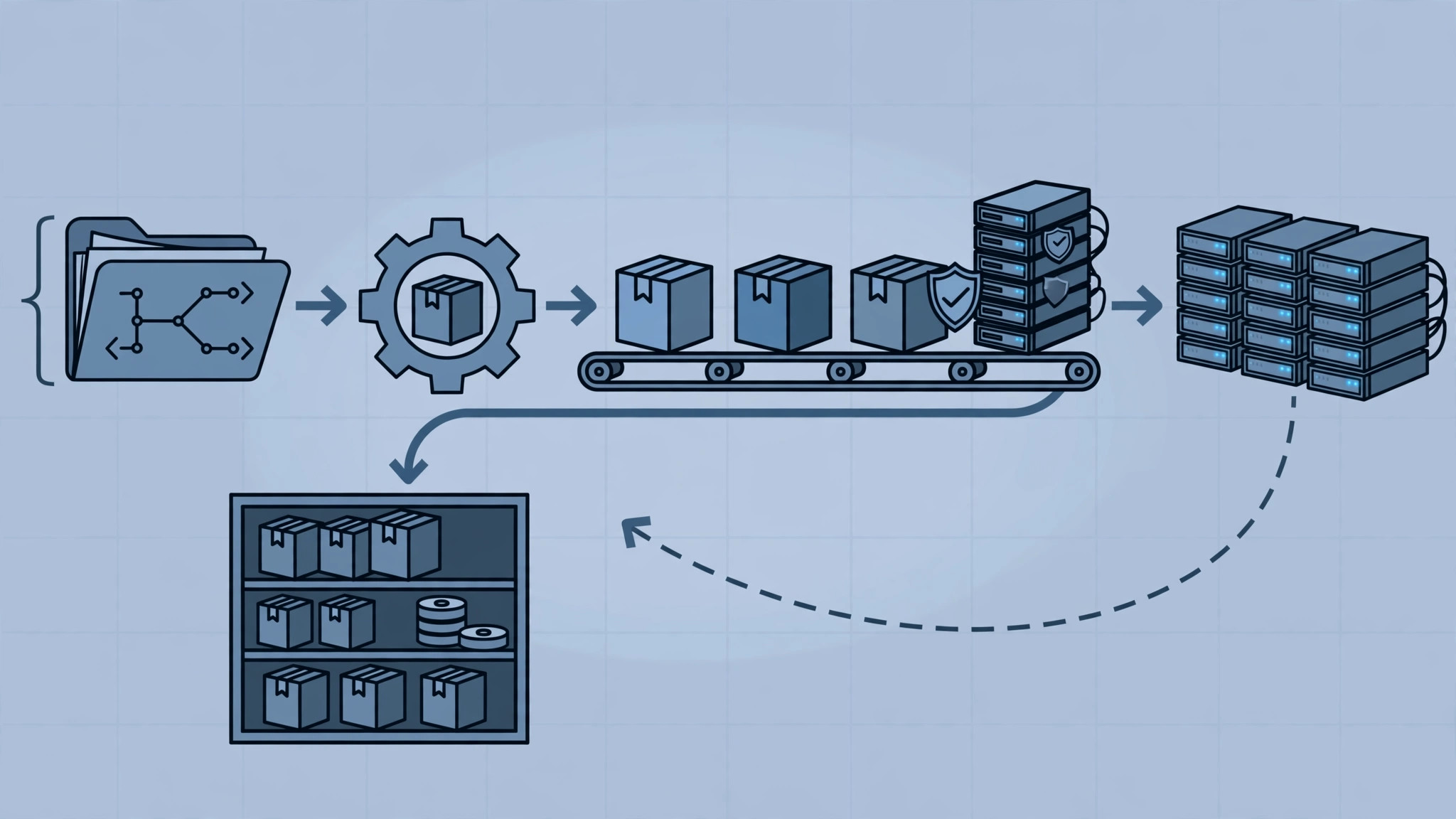
A deployment artifact is the fix for that vagueness. It is the exact, immutable package that runs in production: a container image, a compiled bundle, a zipped release, or a versioned installer, built once and identified by a version that never changes meaning. If you cannot point at the artifact, you cannot prove what is running, you cannot promote it safely, and you cannot return to it when the new version misbehaves. Everything in this post follows from that one discipline: build once, name it permanently, and treat the artifact as the unit of deployment.
What a deployment artifact actually is
An artifact is not source code, and it is not a deployment script. Source code is an input. A deployment script is a procedure. The artifact is the output: the thing that was tested, signed, scanned, and shipped. When a build runs, it should produce one artifact per releasable component, stamped with a version, a commit hash, and a build number, and stored in a registry or artifact repository where it cannot be overwritten.
Immutability is the whole point. If version 2.4.1 can be rebuilt tomorrow with different dependencies, then version 2.4.1 means nothing. A team that rebuilds for each environment is not deploying the artifact it tested; it is deploying a lookalike, and the differences will surface at the worst possible moment. The companion discipline is tracing every production deploy back to its source, so that any running artifact can be answered with a commit, a build log, and a list of what changed.
Make every artifact traceable before you worry about speed
Traceability does not require an elaborate platform. It requires four fields, recorded automatically on every build, and never typed by hand: the artifact version, the source commit, the build identifier, and the environment it was deployed to. A manifest or a simple metadata record alongside the artifact is enough, provided the deployment step reads it rather than trusting a human to remember it.
The payoff arrives during incidents. When an error rate spikes after a release, the first question should be answerable in seconds: which artifact is running, what changed since the previous one, and who approved it. A pipeline that can answer that is already doing most of what a deployment pipeline should prove about what it ships.
Decide what to keep, and for how long
Keeping every artifact forever is the easy policy and the expensive one. Storage grows, registries slow down, and old images with known vulnerabilities linger as tempting shortcuts. Keeping almost nothing is worse: the version you need to roll back to has been garbage-collected, and the only path back is a rebuild that nobody can reproduce exactly.
A workable retention policy separates artifacts by role rather than by age alone. Keep every artifact that is currently running in any environment, and every artifact deployed to production in the recent past, for a fixed window that matches how far back your rollbacks realistically go. For most business systems, that window is thirty to ninety days, plus a small set of pinned releases: the last known-good version, the last release before a major migration, and any version tied to a contractual or compliance obligation. Everything else can expire on a schedule, with the expiry itself logged, so nobody discovers a missing artifact during an incident.
retention:
  production:
    keep_last_releases: 10
    keep_minimum_days: 90
    pinned:
      - last-known-good
      - pre-migration-release
  staging:
    keep_last_releases: 5
    keep_minimum_days: 30
  prune:
    schedule: weekly
    never_delete_running: true
The exact numbers matter less than the fact that they are written down, automated, and reviewed.
Promote the same artifact, do not rebuild it
Promotion is how an artifact earns its way to production. The same binary that passed tests in staging is the one deployed to production; only its configuration changes. Environment-specific values such as database URLs, API keys, and feature flags belong outside the artifact, injected at deploy time, never baked into a separate build per environment.
This is where small teams often improvise badly, rebuilding with a production flag and calling it the same release. It is not the same release. It has different bytes, and different bytes can behave differently. Platform engineering for a small team is largely about removing that improvisation: one build, one artifact, one promotion path, with the environment differences expressed as configuration that is itself versioned and reviewable.
Rollback is a deployment, not a hope
A rollback plan that has never been run is a paragraph, not a capability. Treat rollback as an ordinary deployment of a previous artifact version, using the same pipeline, the same checks, and the same approval path as a forward release. If rollback requires a different procedure, a manual step, or a person who happens to remember how it worked last time, it will fail under incident pressure, which is precisely when it is needed.
Two constraints decide whether rollback is real. First, the previous artifact must still exist, which is why retention policy and rollback policy are the same conversation. Second, the data must tolerate going backwards. A new release that migrates a database schema in a way the old code cannot read makes rollback impossible no matter how good the artifact handling is, so schema changes need the same care as code: deploy database changes without a maintenance window by expanding first and contracting later, keeping the old version runnable until the new one has proven itself. Test the rollback in staging at least once per major release, including the data path, and record how long it takes.
Artifact checklist for a team starting from scratch
- Build once per component and give the artifact an immutable version, commit hash, and build identifier.
- Store artifacts in a registry or repository that forbids overwriting a published version.
- Record a manifest with every artifact: source commit, build number, dependencies, and test results.
- Promote the identical artifact through environments; inject configuration at deploy time, never rebuild per environment.
- Write down a retention policy with a time window, a release count, and pinned releases, and automate its pruning.
- Keep the last known-good production artifact pinned and undeletable by routine cleanup.
- Test rollback in staging, including the database path, and measure how long it takes.
- Log every promotion and rollback the same way you log a release, so the history is complete.
None of this requires a large platform team. It requires a decision, made once and enforced by the pipeline, that the artifact is the thing that ships and everything else is commentary. If your releases still depend on rebuilding, remembering, or hoping, that is the place to start, and our cloud and DevOps work covers exactly this kind of pipeline. When you are ready to make your next release provable, talk to us.