
Insights / Security
Real-time file upload scanning: scan uploads before they reach your storage
Most upload pipelines store the file first and scan it later, leaving a window where malicious content sits on your disk. Real-time scanning before storage closes that window.
Kiran Bandarupalli · 18 Nov 2026 · 5 min read
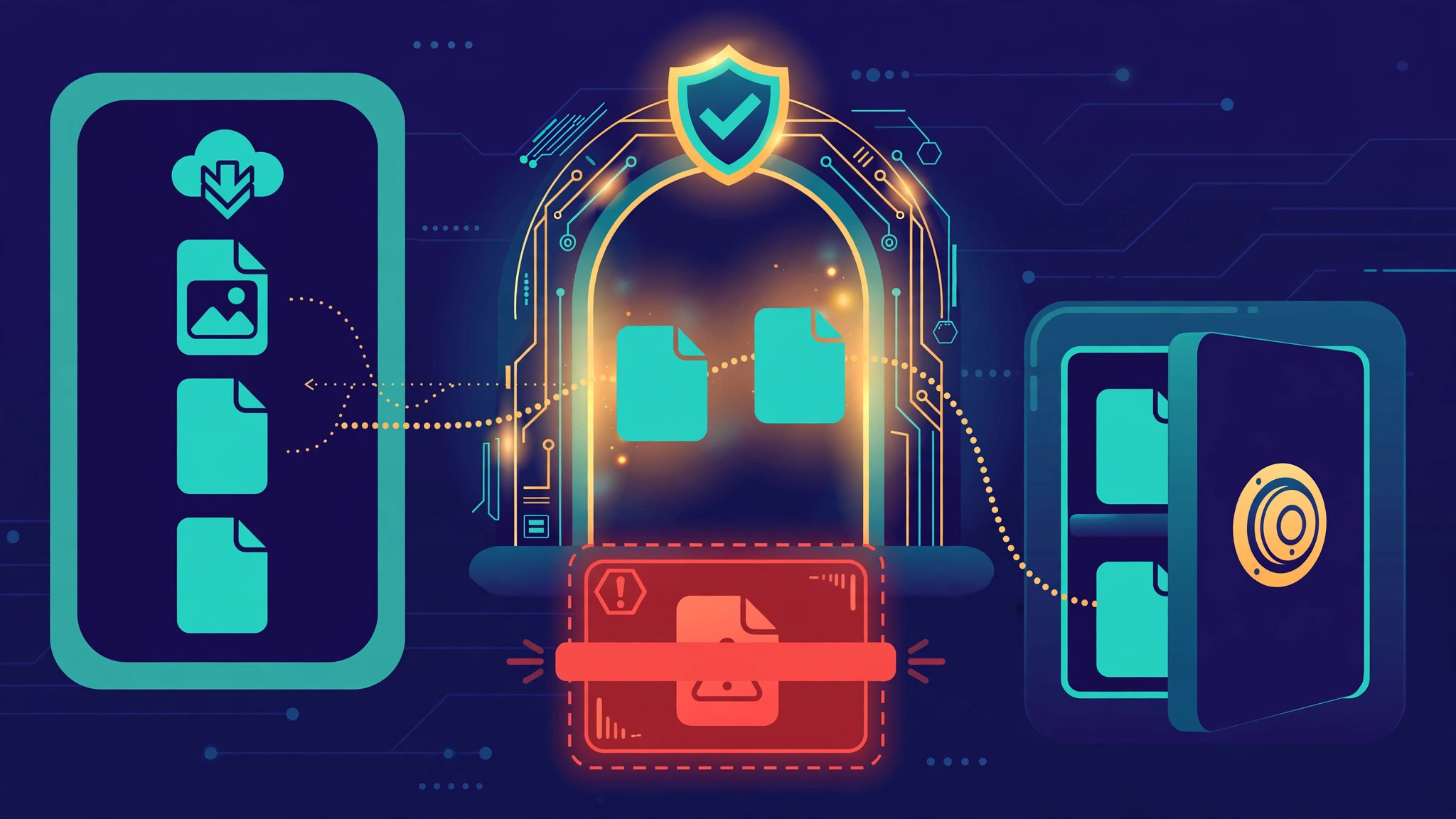
Most upload pipelines follow the same order: accept the file, write it to disk or object storage, and then scan it. The scan usually runs a moment later in a background job, and the file is quarantined if something is found. That order has a flaw that is easy to miss: between the write and the scan, the malicious file is already sitting in your storage. Anything that reads from that storage in the meantime — a thumbnail generator, a preview worker, a service that syncs new files — can touch it before the verdict arrives. Malware scanning and quarantine for user uploads covers what to do once a bad file is found; this post is about making sure it never lands in storage in the first place.
Real-time upload scanning flips the order. The file is inspected while it is still in flight, and it only reaches permanent storage once the scanner clears it.
Scan before storage, not after it
The case for scanning before storage is about how many places a bad file can reach. In a store-first pipeline, the file exists in at least one place before the scan runs, and usually in more: the upload directory, the object storage bucket, the CDN cache if a public URL is issued early, and any worker that picks new files up automatically. In a scan-first pipeline, the file exists in exactly one place until it is cleared: a temporary buffer that nothing else reads from.
It also simplifies failure. When a store-first scan finds malware, the system has to find every copy, delete it, and confirm the deletion. When a scan-first pipeline rejects a file, there is nothing to clean up. A rejected upload is a support conversation; a file that reached storage and then had to be hunted down is an incident.
Synchronous scanning: the inline path
The straightforward design scans inline, as part of the upload request. The server receives the file, streams it through the scanner, and only writes it to permanent storage on a clean verdict. This is the easiest design to reason about, because there is no window at all: a stored file has always passed the scan.
Stream the file through the scanner instead of buffering it in memory.
The cost is latency. A scan takes a few hundred milliseconds for a small document and several seconds for a large archive, and that time sits directly on the upload request. For invoices, photos, or supporting documents, a few extra seconds is usually acceptable — and far better than telling a user hours later that their file was quarantined. The trade-off changes with file size, which is why most inline scanners enforce a size limit and push anything larger to the asynchronous path.
app.post('/upload', upload.single('file'), async (req, res) => {
  const verdict = await scanStream(req.file.stream, {
    timeoutMs: 15000, maxBytes: 100 * 1024 * 1024,
  });
  if (verdict.status !== 'clean') {
    await discardTempFile(req.file.path);
    const status = verdict.status === 'infected' ? 422 : 503;
    return res.status(status).json({ error: 'Upload rejected.' });
  }
  await moveToPermanentStorage(req.file);
  res.status(201).json({ stored: true });
});
Asynchronous scanning: when waiting is worse than a delay
Inline scanning does not fit every upload. Video files, large design assets, and bulk imports can take minutes to scan, and no user will hold an HTTP request open that long. For those, the honest design is asynchronous scanning with a holding area — but the holding area is not permanent storage. It is a quarantine bucket that nothing except the scanner can read, and the file only moves to real storage after a clean verdict.
The moving parts are the same ones behind background jobs with queues, retries, and idempotency: the upload returns immediately with a pending status, a job scans the file, and the client polls or receives a webhook when the verdict is ready.
What to scan, and what to do with the result
Not every upload needs the same depth of scanning. Run a fast, cheap check on every file and a deeper check where the risk justifies it:
- Every file: signature-based antivirus scanning, plus a check that the file's actual content matches its declared type. A document claiming to be a PDF but starting with executable bytes is rejected before the scanner even runs.
- Images and documents: strip embedded metadata and macros on the way in. Secure image uploads covers why re-encoding an image is often safer than serving the original bytes.
- Archives: scan the contents, not just the container, and limit nesting depth and decompressed size so a zip bomb cannot expand into gigabytes of scanned output.
- Untrusted sources: deeper heuristic or sandbox checks, and a stricter size limit for the inline path. A file from a public form deserves more suspicion than one from an authenticated staff account.
The verdict needs only three outcomes: clean, infected, and error. Clean means store it. Infected means reject it and log the attempt — uploader, file type, and the scanner's finding — . Error means the scan could not complete, and the safe response is to fail closed and retry the upload, not to store the file and hope.
Timeouts, large files, and the user experience
Set the inline size limit from measured scan times, not from a round number. If your scanner takes roughly a second per 10 MB, a 100 MB file costs ten seconds of waiting, and most users will have given up by then. That is the point where the file belongs on the asynchronous path. Resumable uploads pair well here: a large file can arrive in chunks, and scanning can begin on the reassembled file without re-uploading it.
Direct-to-cloud uploads with presigned URLs move bytes straight to storage, which conflicts with scan-before-storage — unless the presigned destination is the quarantine bucket and the file only moves after the scan.
A checklist for scan-before-storage
- One buffer, no readers: until the verdict is clean, the file lives in one temporary location nothing else can reach.
- Fail closed: a scanner error or timeout rejects the upload. Storing unscanned files is never the fallback.
- Stream, don't buffer: the file flows through the scanner so memory stays flat at any file size.
- Size-based routing: small files scan inline; large files go to the asynchronous path with a visible pending state.
- Three verdicts only: clean, infected, error — each with one handling path.
- Log rejections: who uploaded, what type, what the scanner found.
- Monitor the scanner: latency, timeouts, and fail-closed rate.
- Test the failure path: stop the scanner in staging and confirm uploads are refused, not silently stored.
Real-time scanning will never be the feature a customer asks for. It is the part that decides whether the rest of the pipeline is trustworthy. Scanning before storage keeps the problem small: one buffer, one verdict, one decision. If your upload pipeline still stores first and scans later, the change is usually a day of work on the upload path and a quarantine bucket — worth doing before the next feature that reads from storage. If you would like help reviewing your own upload pipeline, talk to us — our cloud, VPS and DevOps team builds and hardens upload pipelines for business applications every week.