
Insights / Cloud & DevOps
Blue-green deployments for small teams: ship without downtime, roll back in seconds
Two identical production environments, one traffic switch: blue-green deployment lets a small team ship with no downtime and roll back in seconds instead of debugging a live outage.
Kiran Bandarupalli · 12 Nov 2026 · 5 min read
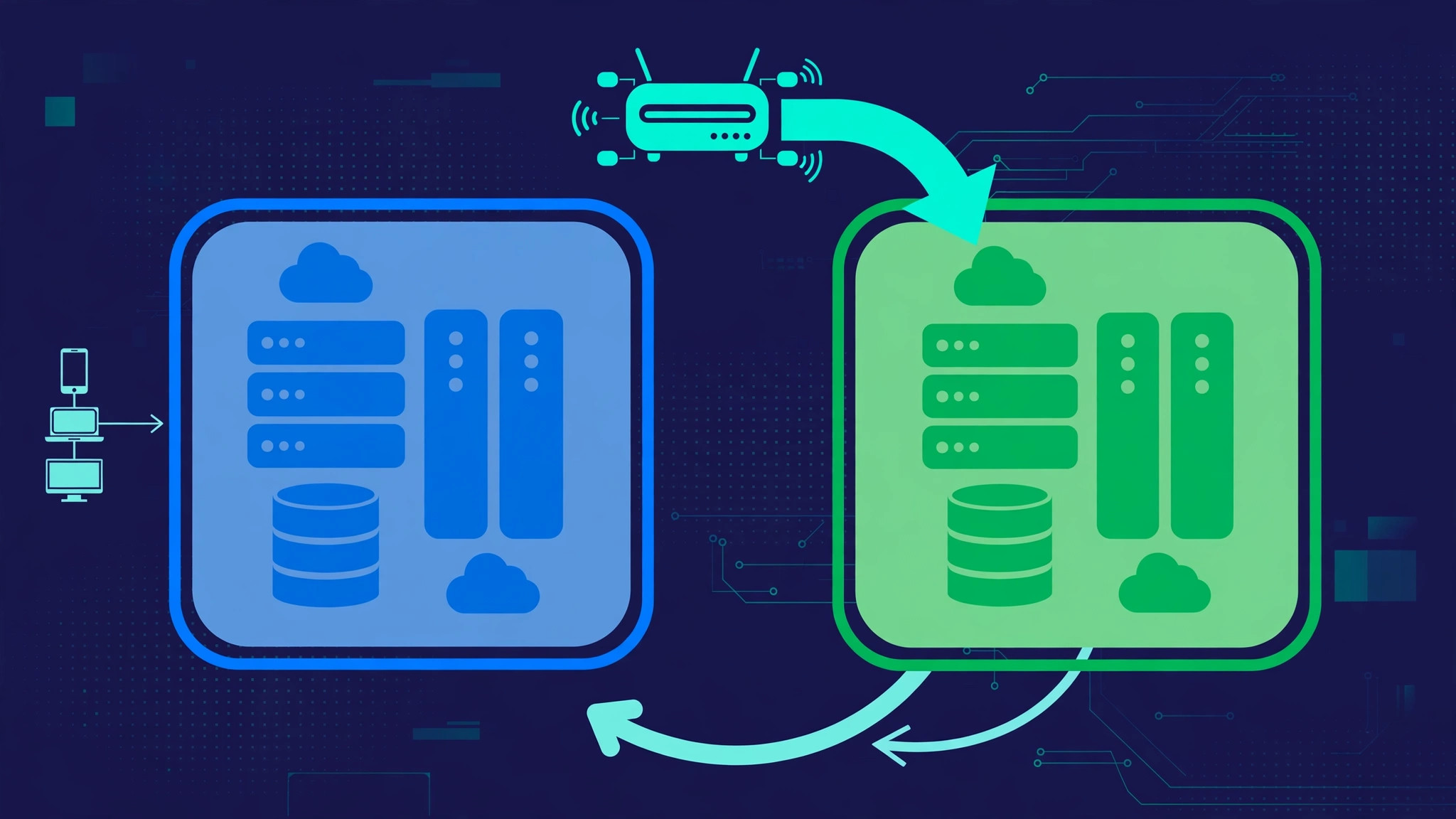
Most small teams deploy the same way: log in, pull the latest code, restart, and hope nobody was mid-checkout. It works — until the one deploy that doesn't. Blue-green deployment removes that moment. You keep two identical production environments, deploy to the idle one, verify it, then move traffic. If anything looks wrong, you move traffic back. The deploy stops being a gamble and becomes a switch you can flip twice.
What blue-green actually is
Blue is the environment serving traffic today; green is its identical twin, sitting idle. A new release goes to green first while blue keeps serving users. Once green passes its checks, the router sends it new traffic, and blue becomes the idle standby. Nothing is overwritten in place, and the previous release is never destroyed until the new one has proven itself — the same idea behind keeping deployment artifacts you can roll back to.
On a single VPS, blue and green can be two directories, two service definitions, and one reverse proxy. The pattern scales down well because it replaces the riskiest part of a deploy — the in-place restart — with a routing decision.
Why it fits small teams
Small teams feel failed deploys more sharply: no on-call rotation, and the person who ships the code is often the one who answers the customer. It helps in three concrete ways. First, deploy and release become separate events: deploy at 10 a.m., flip traffic at 2 p.m. after someone has clicked through the new version. Second, you verify against the real production configuration, not a staging copy that drifted months ago. Third, rollback is a routing change, not a redeploy — seconds, and it works even when the new version is completely broken.
It also makes deploys boring, which is the goal. A trusted deploy means smaller, more frequent releases instead of a dreaded big-bang release — the same discipline behind a deployment pipeline that proves what it ships.
The moving parts
A minimal setup has four parts, none of them exotic.
- Two environments. Two copies of the application, each with its own port, process, and document root, sharing the database and object storage — where the real care is needed, as the migrations section explains.
- One router. A reverse proxy such as NGINX or Caddy, or a load balancer, deciding which environment receives traffic. The switch is a configuration change in the router, not in the application.
- A health check. An endpoint the new environment must answer correctly before receiving traffic — a real check hitting the database and critical dependencies, not a route returning a static 200.
- A record of which is live. A file or variable noting which colour serves traffic — without it, the next deploy starts with a guessing game.
With NGINX, the difference between serving blue and green is one upstream block:
# /etc/nginx/conf.d/upstream.conf — flip this file to switch colours
upstream app {
    server 127.0.0.1:3001; # green (live after the switch)
    # server 127.0.0.1:3000; # blue (standby)
}
Reload the proxy and traffic moves. Keep the previous colour running after the switch, so a rollback is just the reverse edit.
Database changes: the part everyone forgets
Blue-green solves the application side, but both environments share one database, and a database cannot be switched with a config file. A new version expecting a renamed column breaks if the old version is still running against the new schema — or the reverse, on rollback.
The fix is expand-and-contract, the same thinking behind zero-downtime database migrations. First, deploy a migration that only adds — new columns, new tables, new indexes — without touching anything the old code depends on. Then deploy the new code that uses the new shape. Only after the old version is gone for good do you run a second migration removing the old columns. Each step is safe on its own.
Two rules: never pair a deploy with a destructive migration, and never migrate a database you cannot restore — keep the backups that actually restore current first.
The switch: a runbook, not a hope
The switch should follow a written runbook, even a short one:
- Deploy the release to the idle environment and confirm its health check passes.
- Run smoke tests against the idle environment directly — log in, complete a checkout or form submission, check the pages that matter.
- Flip the router and watch error rates and logs for ten minutes. Keep the old environment running.
- If errors spike, flip back immediately and investigate without the pressure of a live outage. Otherwise, leave the old environment as standby until the next deploy.
Background work deserves a line in the runbook too: queue workers and scheduled jobs should drain or pause during the switch, or they will process jobs against a half-moved system. The same care that goes into queues, retries, and idempotency applies — a job that runs twice, or against the wrong version, is a bug you will find in production data later.
When blue-green is the wrong tool
The pattern is not free. It roughly doubles the application footprint — disk, memory, and a second running process — which matters on a small VPS. It also adds a router and a runbook to maintain, and it does nothing for stateful problems: sessions on disk, files in a local directory, or in-memory caches do not follow traffic to the other environment. If your application keeps state on the server, move sessions and uploads to shared storage first, or blue-green trades one class of outage for another.
Canary releases — a small slice of traffic to the new version first — solve a different problem: limiting the blast radius of a bad release. Blue-green is about the switch being instant and reversible. For a small team it is usually the simpler win, and it pairs well with tracing every production deploy back to its source, so you always know which build is live in each colour.
What it costs, honestly
On one VPS, the cost is modest: a second copy of the app, a few extra megabytes of memory, and an hour or two to set up the router and the runbook — cheaper than one bad deploy. The hidden cost is discipline: keeping the two environments identical. If green drifts from blue because someone hand-edited a config file on the live server, the switch fails at the worst moment. The fix is the same one that keeps any server trustworthy: configure from scripts and checked files, never by hand, as on a hardened Linux VPS. If you are still on shared hosting, the move to a VPS — done without downtime — is what makes this possible at all.
Start small: two directories, one proxy, one health check, one runbook. Ship a minor release, then roll it back on purpose to prove the switch works. The first time you flip traffic back in seconds instead of rebuilding a broken deploy all evening, it will have paid for itself. If you want help setting this up, our Cloud, VPS and DevOps services cover the deployment setups behind the business applications we ship — talk to us.